
Troubleshooting
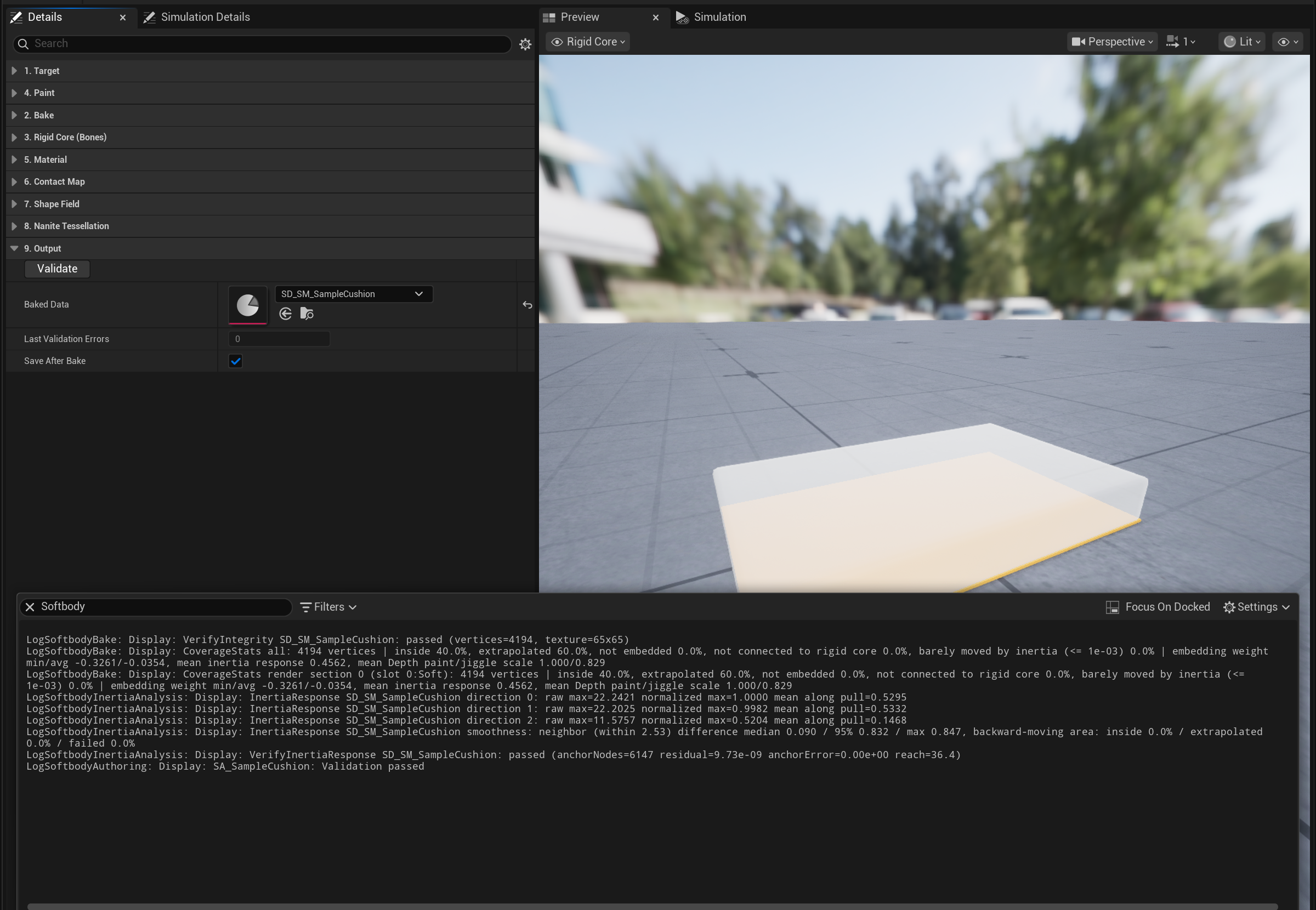
Messages are quoted by their fixed part; filter the Output Log by Softbody. Validate on the Softbody Authoring Data and Validate Setup on the Softbody component run the checks on demand, and Play runs Validate Setup too. Last Validation Errors on the asset: 0 = all good, -1 = not checked since the last bake.
Playing: nothing dents
| Message | Cause | Fix |
|---|---|---|
Contact is OFF for every Softbody component: it needs Shader Model 5 | The renderer is below Shader Model 5 (mobile preview, ES3.1). | Use a desktop renderer; D3D11 and D3D12 are verified. Jiggle still runs. |
Contact is OFF for every Softbody component: this GPU or driver | The GPU or driver cannot read a four-channel float texture bound for writing. | A newer GPU driver may enable it. Jiggle still runs. |
Contact is off for ...: its contact map was baked with an older plugin | Mesh Data was baked with an older plugin version. | Press Rebake Contact Map on its Softbody Authoring Data. |
contact is off, inertia still runs | No contact map: Bake Contact Map was off, or the contact map bake failed. | Turn on Bake Contact Map and press Rebake Contact Map (or Run Bake). |
The rise around presses and drag are off for | No bulge distance table of a supported layout, or the table has the wrong pixel format. | Press Rebake Contact Map. Dents still work. |
Drag is off for ...: its bulge grid is ... cells per side | The mesh is about 10 m or larger, over the drag grid's 1024 cells per side. | None. Dents and bulges still work. |
MeshData is not assigned. | Mesh Data is empty. | Set it to the Baked Data of the mesh's Softbody Authoring Data. |
no target mesh component or found no mesh component to deform | No skeletal or static mesh component on the actor, and Target Mesh Component is empty. | Put the component on an actor with a mesh, or set Target Mesh Component. |
target mesh does not match MeshData source | Mesh Data was baked from another mesh. | Point Mesh Data at this mesh's bake, or bake this mesh. |
has no material slot containing the Softbody material function parameters | No slot uses a Softbody material. | Let the bake make the material, or add MF_SoftbodyKernel to your own master material. |
also deforms ... Keep one Softbody component per mesh | One mesh has two Softbody components, so they overwrite each other's material values. | Keep one component. |
Playing: a collider does not press
| Message | Cause | Fix |
|---|---|---|
has no simple collision shapes and no baked shape field | Only complex (triangle mesh) collision. Only spheres, capsules, boxes and convex shapes press. | Add simple collision or a physics asset, or bake a shape field (right-click the mesh, Softbody: Bake Shape Field). |
Contact skipped ... collision shape(s) over the per-frame budget | Over 32 shapes (or 2048 convex planes) overlap the mesh in one frame, or a convex shape has no planes. | Fewer colliders at once; tag the ones that should not press SoftbodyIgnore. |
shape field of ... skipped | Over 512 shape field parts in one frame, or the pressing mesh's bones changed since its shape field bake. | Fewer pressing meshes at once, or rebake the pressing mesh's shape field. |
self contact skipped this frame | The same 512-part budget, reached with the character's own parts. | Fewer pressing meshes at once. |
self contact part ... skipped — bone not found | The skeleton changed after the shape field bake. | Press Rebake Shape Field. |
self contact parts differ from the wake boxes baked into | Self Contact Bones changed after the contact map bake, so the mesh cannot sleep while the hands are away. | Press Rebake Contact Map (or Rebake Shape Field). |
| No message, part of a collider (for example a character's feet) sinks in without pressing | A pressing mesh with a shape field presses only with its shape field, not its physics asset, and parts missing from the shape field do not press. | Bake the pressing mesh's shape field again: a Softbody character with Rebake Shape Field in its own Softbody Authoring Data, hands and props with Softbody: Bake Shape Field. |
| No message, the mesh never dents | Work down the checklist. |
Bake stops or fails
| Message | Cause | Fix |
|---|---|---|
Target Mesh is not set to a skeletal or static mesh | Target Mesh is empty or of another type. | Set Target Mesh. |
Core Placement is Custom Spheres but Rigid Core Spheres has no sphere | Custom Spheres needs at least one sphere. | Add one, or set Core Placement to Center or Bottom (Baking). |
Could not place the rigid core | Center and Bottom read the inside of the mesh, and this mesh has none. | Use a closed mesh, set Volume Mesh, or use Custom Spheres. |
is engine content, and baking writes into the mesh | The mesh is under the engine folder (plugin or engine content). | Duplicate it into your project's Content and bake the copy. |
has no LOD0 source geometry | The mesh was imported without its source data. | Reimport it with its source data. |
The mesh already uses all ... UV channels | The bake needs one more UV channel. | Remove an unused UV channel and bake again. |
Could not measure the flesh: the mesh encloses no volume or Could not build the outer surface: it came out empty | The mesh is not closed (a single-sided sheet, an open tube). | Set Volume Mesh to a closed, filled mesh placed in the same spot. |
Bake stopped: the contact map normals point inward | The faces point inward. | Make the mesh closed with faces pointing outward, then press Rebake Contact Map. |
No rigid core | No skin-weighted bone lies inside the mesh. The bake continues without jiggle. | Check that the skeleton's bones sit inside the mesh. |
Inertia bake failed: the rigid core holds too few grid points | The core is too thin for the measure grid. | Raise Bone Thickness, add Rigid Core Spheres (Custom Spheres), or lower Measure Cell Size. |
Inertia bake failed: no surface vertex can jiggle | The rigid core or bone-painted flesh covers the whole mesh. | Lower Bone Thickness, or check that Depth and Jiggle on the soft flesh are not black. |
Could not fit ... contact map islands into one contact map | Too many islands for the resolution. | Raise Contact Map Resolution. |
Could not use the mesh's UV0 islands for the contact map | UV0 is unusable (the message says why), so islands were made automatically. | Fix UV0, or set Contact Map Seams to Automatic (XAtlas). |
The mesh already has ... UV channels, so the contact map UV channel could not be added | No free UV channel (Nanite and skeletal meshes read UV0 to UV3). | Remove an unused UV channel and press Rebake Contact Map. |
is shared with other Softbody meshes that read a different UV channel | Two baked meshes share one master material but need different UV channels. | Give this mesh its own copy of the material (or turn on Create Softbody Material), then press Rebake Contact Map. |
Some packages could not be saved or already had unsaved changes before the bake | The bake does not save packages that already had unsaved changes. | Save them yourself. |
holds the bake of ..., another mesh with the same name | A mesh with the same name in another folder was baked into this output folder, and this bake would overwrite it. | Set Output Folder to another folder. |
bulge distance table would be ... texels tall | A large mesh at a high resolution makes the bulge distance table too tall for one texture. | Lower Contact Map Resolution. |
Validate reports problems
Validation passed can still have the warning about the Softbody material above it.
| Message | Cause | Fix |
|---|---|---|
Nothing to validate - Baked Data is empty | No bake yet. | Press Run Bake. |
Baked Data was baked from a different mesh than Target Mesh | Target Mesh changed after the bake. | Press Run Bake. |
Volume Mesh differs from the one Baked Data was baked with | Volume Mesh changed after the bake. | Press Run Bake. |
The flesh softness bake is missing or out of date, so nothing jiggles | No jiggle data: a skeletal mesh needs skin-weighted bones inside the mesh, a static mesh needs a rigid core from Core Placement. | Fix that, then press Run Bake. |
There is no contact map, so nothing dents | Bake Contact Map is on but the contact map is missing. | Press Rebake Contact Map (or Run Bake). |
No slot uses a Softbody material, so the mesh will not deform | The Softbody material is not on the mesh yet. | Assign it, then press Rebake Contact Map. |
feeds ... from UV channel ..., but this mesh's bake uses channel | The material reads the wrong UV channel, usually because another Softbody mesh shares it. | Give this mesh its own copy of the material, then press Rebake Contact Map; for TexelUV also set the Texture Coordinate node to the right channel. |
has no shape field | Bake Shape Field is on but the mesh has none. | Press Rebake Shape Field (or Run Bake). |
Shape Field Slots changed since the shape field bake | Shape Field Slots changed after the shape field bake, or the Content Browser command baked the whole mesh again. | Press Rebake Shape Field. |
Volume Preservation is ... but the flesh was measured with | Volume Preservation changed after the bake. Dents already use the new value. | Press Run Bake. |
the slot paint changed since the flesh was measured | The paint changed after the last Run Bake, so jiggle and contact read different paint. | Press Run Bake. |
VerifyIntegrity <Baked Data>: ... | A baked texture, table or UV channel no longer matches the mesh (edited or reimported after the bake). | Press Run Bake. |
VerifySkeletal: ... (missing input, could not read the texture source, no render data, render data has no UV channel N) | The skeletal mesh's render data or the baked inertia group texture no longer matches the bake. | Press Run Bake; if the texture source cannot be read, save the project and bake again. |
Paint, shape field, Nanite
| Message | Cause | Fix |
|---|---|---|
Could not read the slot paint, so Depth and Volume are baked as 1 everywhere | The paint could not be read when the contact map was baked. | Press Run Bake. |
Paint: could not read the pixels of mask texture or its Paint Texture has no source pixels | The Paint Texture has no source data, so that slot stays unpainted (white). Flex has no plates. | Reimport the texture, or set that channel to White everywhere or Black everywhere. |
has sRGB on, so the bake reads it as a color | sRGB is on for the Paint Texture, so grays read darker (0.5 becomes 0.21). | Turn sRGB off in the texture settings. |
is a PNG with Flex in its alpha | PNG import replaces the color of fully transparent pixels with a neighbor's, which can change Depth, Jiggle and Volume on the plates. | Export as TGA, or set PNG Infill to Never in Project Settings > Texture Import and reimport. |
which is black everywhere, so the whole slot becomes | One channel is black over the whole texture, so the whole slot becomes bone, firm flesh, foam or one plate. | Set that channel to White everywhere if you do not use it. |
Paint: the flesh on the Softbody material slots barely moves | The flesh that should jiggle barely moves. | Check that Depth and Jiggle on the soft flesh are not black. |
Paint: the deepest flesh moves ...x as far as the reference flesh | The deep flesh moves far more than the reference flesh, so Inertia Amount shakes it that much more. | For a human-sized body set Flesh Reach to about 3 and press Run Bake. |
Paint: the jiggle amount (after Physics Driven Bones) changes sharply over a narrow strip | Physics Driven Bones make the jiggle change sharply over a narrow strip. That spot may look torn or folded while it jiggles. The message gives the mesh position. | Make the skin weights of those bones fall off wide and gradual. |
The Flex paint dents like bare skin because Contact Detail is Basic (Play, Validate Setup) | Flex only works with Contact Detail Full. | Set Contact Detail to Full on meshes that need plates or a bending surface. |
Flex plates: ... painted pieces wrap around the body | A piece that wraps around the body cannot be a plate and bends as painted (red in the Plates view). | Split it into flat pieces with thin white gaps in the paint. |
Flex plates: ... painted pieces have no contact map cells under them | The piece is outside the pressable slots, or a floating piece has no surface under it to press (white in the Plates view). | Add the slot underneath to Pressable Slots, or place the decoration close to the skin. |
Flex plates: ... painted pieces cover more than | The piece is too big to be a plate and bends as painted (orange in the Plates view). | Paint it as smaller pieces with thin white gaps. |
Flex plates: ... painted pieces sit at the very edge of the contact map | The piece sits on the edge of the contact map and cannot be read as a plate (purple in the Plates view). | Rebake with a different Contact Map Resolution. |
Flex: more than ... plates | Too many separately painted plates; the extra ones bend as painted. | Reduce the number of separately painted plates. |
Paint: Physics Driven Bones were skipped | LOD0 skin weights cannot be read on the CPU, or the mesh lacks the baked UV channel. | Turn on Allow CPU Access for LOD0 of the skeletal mesh (or press Run Bake again), then Reapply Paint. |
in Physics Driven Bones is not in the skeleton | A bone name in Physics Driven Bones is misspelled. | Fix the name. |
Inertia groups: all ... groups are taken, so lump bone ... gets no group of its own | More jiggling bones than Max Inertia Groups allows. | Raise Max Inertia Groups (up to 16). |
has no bone named ...; check Self Contact Bones | A bone name in Self Contact Bones is misspelled. | Fix the name. |
none of the Self Contact Bones (or their child bones) is the main skin weight inside the mesh, so self contact is off | The listed bones drive no flesh. | List the bones that actually move the hands. |
has no material slot named ...; check Shape Field Slots | A slot in Shape Field Slots is not on the mesh (renamed or re-imported). The bake goes on without it. | Pick the slots from the list again and press Rebake Shape Field. |
none of the Shape Field Slots has any triangles | The chosen slots have no triangles, so nothing was baked. | Pick the body slots, or clear Shape Field Slots. |
has no material slot names in its source geometry | The mesh source has no slot names, so Shape Field Slots cannot be used. | Re-import the mesh, or clear Shape Field Slots. |
Self Contact Bones is empty, so every part presses the mesh itself | Every part of the body presses the body. | For a body, list only the hands, such as Hand_L and Hand_R. |
no bone is the main skin weight inside the mesh | The shape field bake could not give the inside of the mesh to any bone. | Check the skin weights. |
owns N cell(s) of flesh, too few to be its own part | A bone drives too little flesh to be a shape field part and no parent bone is one, so that flesh is left out of the shape field. | Check the skin weights. |
On a static mesh the whole mesh presses, so Self Contact Bones is ignored | Expected on static meshes. | Nothing. |
uses translucent material ..., so the whole mesh cannot render as Nanite | Nanite needs opaque or masked materials on every slot. | Use an Opaque or Masked material on that slot. |
The mesh has ... morph targets, and Nanite skinning ignores them | Nanite skinning does not play morph targets. | Put facial expressions on a separate head mesh; use helper bones for joint correction. |
vertices with hard normals; tessellation can open cracks there | Hard normals on the softbody slots. | Smooth those normals in your DCC tool. |
r.Nanite.DicingRate is ..., so skinned meshes break into pieces up close | The dicing rate is too low for skinned meshes. | Set r.Nanite.DicingRate to the value in the message or higher, under [SystemSettings] in DefaultEngine.ini. |
no material slot uses a softbody material (one that reads the contact map) | Nanite tessellation is set up in the Softbody material, and no slot uses one. | Press Recreate Material or assign the Softbody material, then Reapply Nanite Tessellation. |
Nanite tessellation with Displacement Center 0 | The material's Nanite displacement Center is 0, so the dents between vertices are cut off. This happens when the material is set up by hand. | In the material's Details, set Center under Nanite > Displacement to about 0.75. Or set Nanite Displacement Center in the Softbody Authoring Data and click Reapply Nanite Tessellation. |
No dents? Checklist
On the Softbody component and the mesh's Softbody Authoring Data:
- Enable Contact is on.
- Mesh Data is this mesh's Baked Data. Validate Setup should log
setup validandcontact=surface field;contact=off (...)gives the reason in parentheses. - The mesh was baked with Bake Contact Map on, and Validate passes.
- The pressing object blocks the Collider Channel (default Visibility), has collision queries enabled, and has simple collision, a physics asset or a shape field. Neither it nor its actor is tagged
SoftbodyIgnore, and it is not part of the Softbody component's own actor. - Find Colliders Automatically is on.
- Min Screen Size (default 0.15): dents stop while the mesh looks smaller than this in every view, editor viewports included.
- The pressable slots use a Softbody material. After swapping materials, press Rebake Contact Map once more to link the material to the contact map.
- Between two Softbody meshes only one presses: turn off collision on the one that is only pressed (Colliders).
Dents look wrong
- Lines or steps across the surface. Dents are slightly less exact across a split of the contact map. By default Contact Map Seams puts the splits on the mesh's UV0 seams. Debug View with Debug View Mode 2 shows them as lines where the checker breaks. If the bake warned that
the contact map UV channel could not be added, dents across UV island borders are less detailed. - Fingertips make a blur instead of a dent. Raise Contact Map Resolution On a low-density mesh, narrow dents between vertices need Set Up Nanite Tessellation; Debug View Mode 5 shows green where dents are read inside triangles and red where only the vertices along seams move.
- The dent stops short, or the collider sinks in with no dent. Up to Max Contact Depth (default 15 cm) the pressed depth is drawn as is; beyond it the depth shrinks smoothly and stops at 1.3 times. If your collision sits a few cm inside the visible skin (a body capsule), set Max Contact Depth to that gap.
- Dents and bulges are too wide or too narrow. Their width comes from the flesh thickness, the Softbody component's Skin Tension and, with Contact Detail Full, the Flex paint (Flesh material). Check the thickness in the Flesh Thickness view, then move the rigid core (Core Placement, Rigid Core Spheres, Bone Thickness) or change Max Flesh Thickness or the Depth paint.
- Pressing the top dents the sides too. With the rigid core only at the bottom, the sides measure as very thick flesh. Set Max Flesh Thickness a little above the deepest press and below a quarter of the object's width.
- Dents push sideways or the wrong way. The volume mesh is not where the skin is; the bake log says
Volume mesh check: ... only ...% are inside volume mesh. Its outside should sit on the target mesh's surface. - Cracks when tessellated. Smooth the hard normals on the softbody slots.
Jiggle wrong
- Nothing jiggles. Check Enable Inertia. Validate Setup reports
inertia is enabled but MeshData has no inertia softness bakewhen the bake has no jiggle data. - Some parts do not jiggle.
inertia group bones were not found on the mesh's skeleton; those groups will not jigglemeans the skeleton changed since the bake. Press Run Bake again. - Frame drops jolt the flesh. A frame longer than Hitch Guard (default 0.1 s) counts as a hitch and its acceleration is ignored. Lower it if drops still jolt.
- A respawn or camera cut jolts the flesh. A move farther than the current speed allows plus Teleport Distance (default 50 cm) counts as a teleport and does not jiggle; moves flagged as teleports always count. Lower the value, or move the actor with the teleport flag. Raise it if fast moves lose their jiggle.
- Big lumps flatten at the top of a swing. Max Inertia Offset (default 25 cm) clips what is drawn. Raise it.
Material is white after Quick Start
Create Softbody Material copies the base color, normal map and roughness textures of the slot's original material, and the sample cushion has none: Copied: base color (not found), normal map (not found), roughness (not found, 0.5). Set BaseColorTex, NormalTex and RoughnessTex on the material instance by hand.
Questions
Can I give the component a list of colliders by hand? No, there is no list or Blueprint function for it. With Find Colliders Automatically off, no outside collider presses the mesh. Choose what presses with the Collider Channel and the SoftbodyIgnore tag (Colliders).
Do dents show in the level editor viewport without pressing Play? No. The component runs only while the game runs. While you play in the editor, Min Screen Size still counts editor viewports as views.
How do I remove Softbody from a mesh? Remove the Softbody component and put the slot's original material back. The baked assets and the UV channels the bake added can stay or go; they do nothing without the component.
After updating the plugin, what do I rebake? When Validate or Validate Setup says something was baked with an older plugin, press the button the message names (Run Bake, Rebake Contact Map, Rebake Shape Field, Reapply Paint). With no such message, nothing needs a rebake.