
Characters
A skeletal mesh bakes like a prop (Quick Start).
Before you bake
- The skeleton is the rigid core. The skin-weighted bones must sit inside the mesh. The bake needs no physics asset.
- The area Softbody applies to is the Softbody slots: the material slots that use a Softbody material (Softbody Material Slots if Create Softbody Material is on). The rigid core and the inertia groups are also determined only by bones skinned to Softbody slots.
- Secondary bones (hair, skirt, accessories) are excluded by removing the slots they move from the Softbody slots. Bone Overrides only changes the role of a bone inside a Softbody slot, so the flesh of a bone set to Lump or Accessory is also deformed. Set only ribbon or necklace bones rigged together in a Softbody slot to Accessory.
- If you assign the materials yourself, you must press Run Bake after assigning them. If no slot uses a Softbody material, the bake treats the whole mesh as Softbody slots.
- Tight clothing modeled over the skin (tight suits, leggings) can stay in the same mesh. Meshes in close contact, such as clothing, share the values of the one underneath.
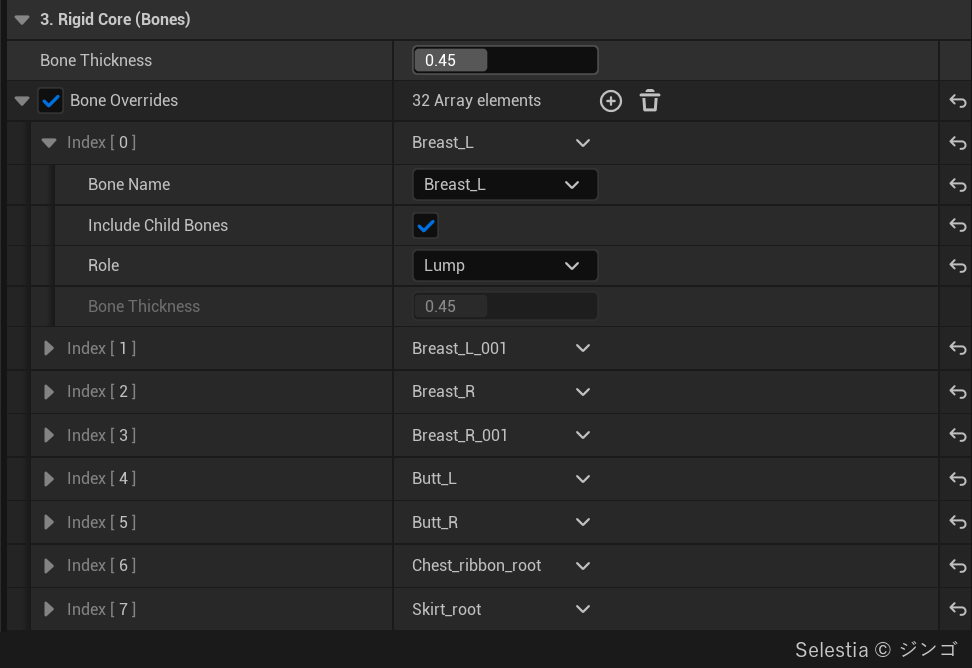
- Jiggle bones: if another system already moves them (a KawaiiPhysics node in a post process animation blueprint, or simulated physics bodies), list them in Physics Driven Bones. Otherwise, the Role of the bone can be set to Lump in Bone Overrides, so its area becomes a lump that the Softbody component moves.
Bake settings
Settings of the Softbody Authoring Data that matter on a skeletal mesh. Defaults and ranges are on Baking.
| Setting | Category | On a character |
|---|---|---|
| Softbody Material Slots | 5. Material | The slots that become Softbody slots. Only bones skinned to these slots become the core and inertia groups. |
| Bone Thickness | 3. Rigid Core (Bones) | How thick every bone is. Larger = thinner flesh everywhere: less jiggle, narrower dents. |
| Bone Overrides | 3. Rigid Core (Bones) | The role of bones skinned to Softbody slots. Set Role to Lump on the top bone of a breast or buttock chain, and to Accessory on ribbon, necklace and belt chains rigged in a Softbody slot. |
| Flesh Reach | 3. Rigid Core (Bones) | About 3 cm makes areas painted the same Jiggle brightness jiggle about the same, whatever the flesh thickness. |
| Max Inertia Groups | 2. Bake | How many bone groups can move separately. When they run out, a lump bone gets no group of its own. |
| Layer Max Gap | 2. Bake | Detection distance for polygons in close contact. Raise it for thick outer clothing; 0 turns it off. Whether they move together is decided by the contact map. |
| Physics Driven Bones | 4. Paint | Softbody inertia is not applied to the flesh on these bones (child bones included). |
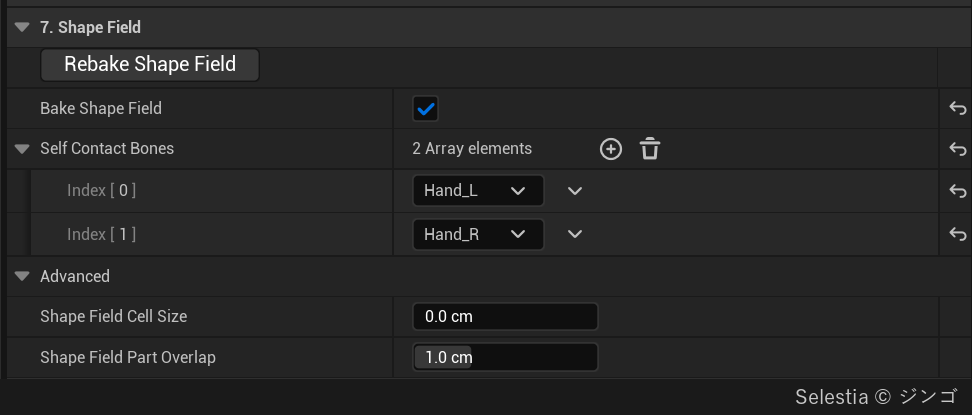
| Bake Shape Field | 7. Shape Field | A seated character presses a Softbody sofa with the real shape of its body, and its Self Contact Bones can press its own body. |
| Self Contact Bones | 7. Shape Field | Sets the bones that can press other areas of the same skeletal mesh (usually both hands). |
| Shape Field Slots | 7. Shape Field | Sets, by material slot, the parts of the mesh that can press other Softbody meshes. |
| Separated Pairs | 6. Contact Map | When the surface is connected but the inside is separated by bones, sets the groups of bones that must be separated to match contact and inertia response. |
| Shape Field Part Overlap | 7. Shape Field | Scale of the influence range of each bone when pressing other Softbody meshes. For a hand, too small can make the finger segments look broken in the dent. |
- With Include Child Bones on in Bone Overrides, one entry per chain is enough. Turn it off to change that bone only.
- With Flesh Reach at about 3 cm, thick white flesh becomes the reference flesh for Inertia Amount.
- Bones the skeleton does not have (ribs, pelvis, skull) are not found. The flesh thickness you want can be painted in Depth.
- Do not use the Content Browser command Softbody: Bake Shape Field on a character. It bakes with no Self Contact Bones, so every bone would press the body. If that already happened, Rebake Shape Field in the Softbody Authoring Data can overwrite it.
Bake messages and their fixes are on Troubleshooting.
Component settings
Settings of the Softbody component that matter on a character. Every setting is on Softbody Component.
| Setting | Category | On a character |
|---|---|---|
| Self Contact | Contact > Colliders | On by default. Lets the Self Contact Bones dent the character's own belly or thighs. |
| Lump Yield | Inertia > Lumps | How easily a pressed lump moves out of the way. |
| Lump Grip | Inertia > Lumps | Strength with which friction pulls the whole lump. Contact Detail must be Full. |
| Squeeze Stiffening | Inertia > Lumps | Multiplier of the resistance to deformation by how deeply it is pressed. Higher means more resistance. |
| Inertia Group Overrides | Inertia | Amount Scale, Damping and Gravity Scale applied to the influence range of an individual bone. |
| Inertia Amount | Inertia | How far the reference flesh sags at 1 g. |
| Animation Motion Weight | Inertia | Inertia multiplier applied to the skeletal animation. |
- Self Contact ignores flesh that touches in the bind pose. Off does not stop the body pressing other Softbody meshes.
- Lump Yield: parts on the skeleton, such as the belly and back, never move as a lump.
- Squeeze Stiffening: if lumps move too far on deep pushes, lower Lump Yield instead of this value.
Pressing with the whole body
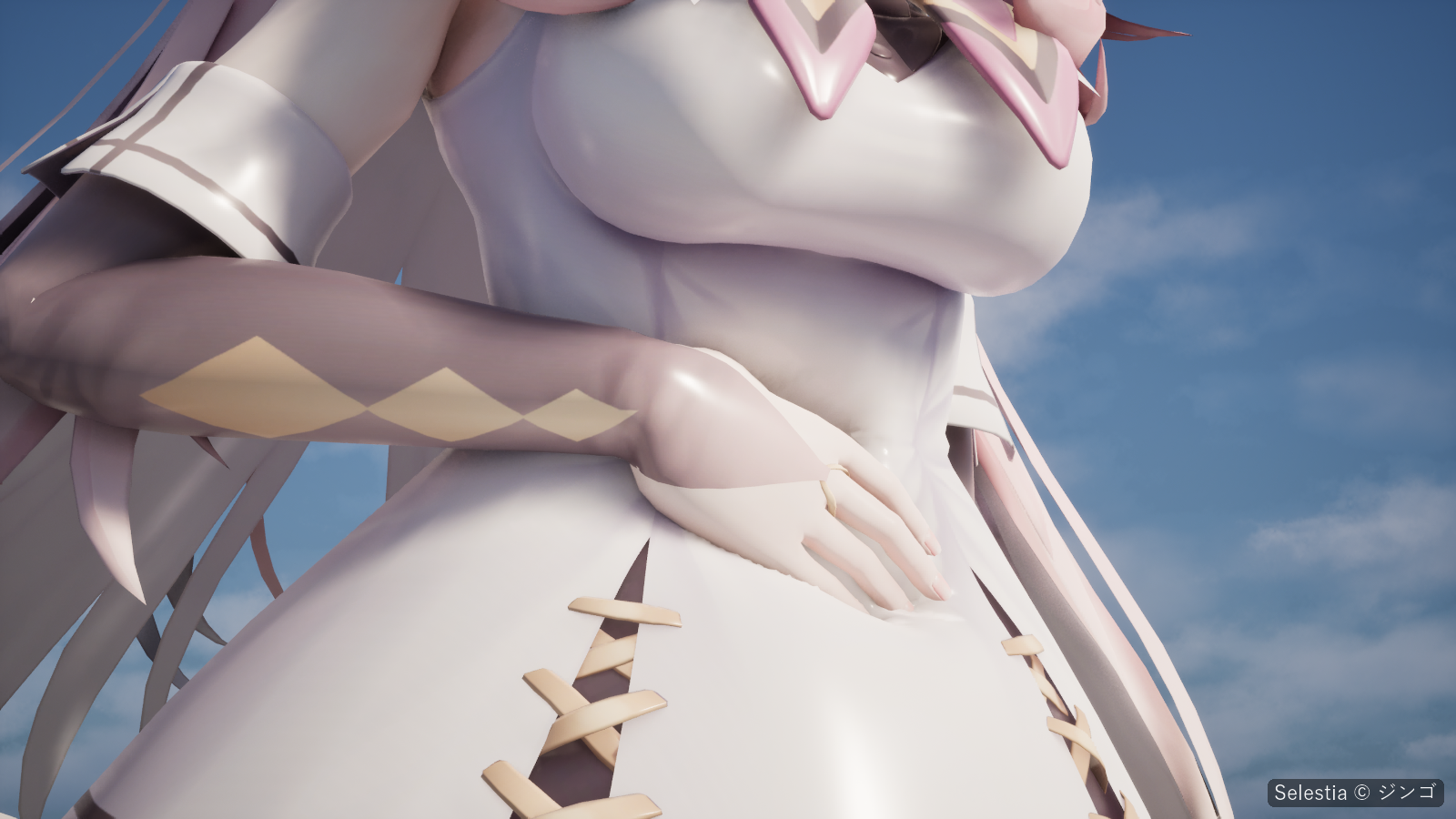
The bake needs no physics asset, but pressing other Softbody meshes does: the character needs collision that blocks the pressed mesh's Collider Channel (Visibility by default), from its physics asset. With a shape field, it presses with its real shape instead of the physics asset's capsules.
The pressed object must be tagged SoftbodyIgnore or have its collision turned off, so that only one side is pressed. Softbodies pressing each other are not implemented yet. The contact can open a gap the size of the overlap. (Colliders).
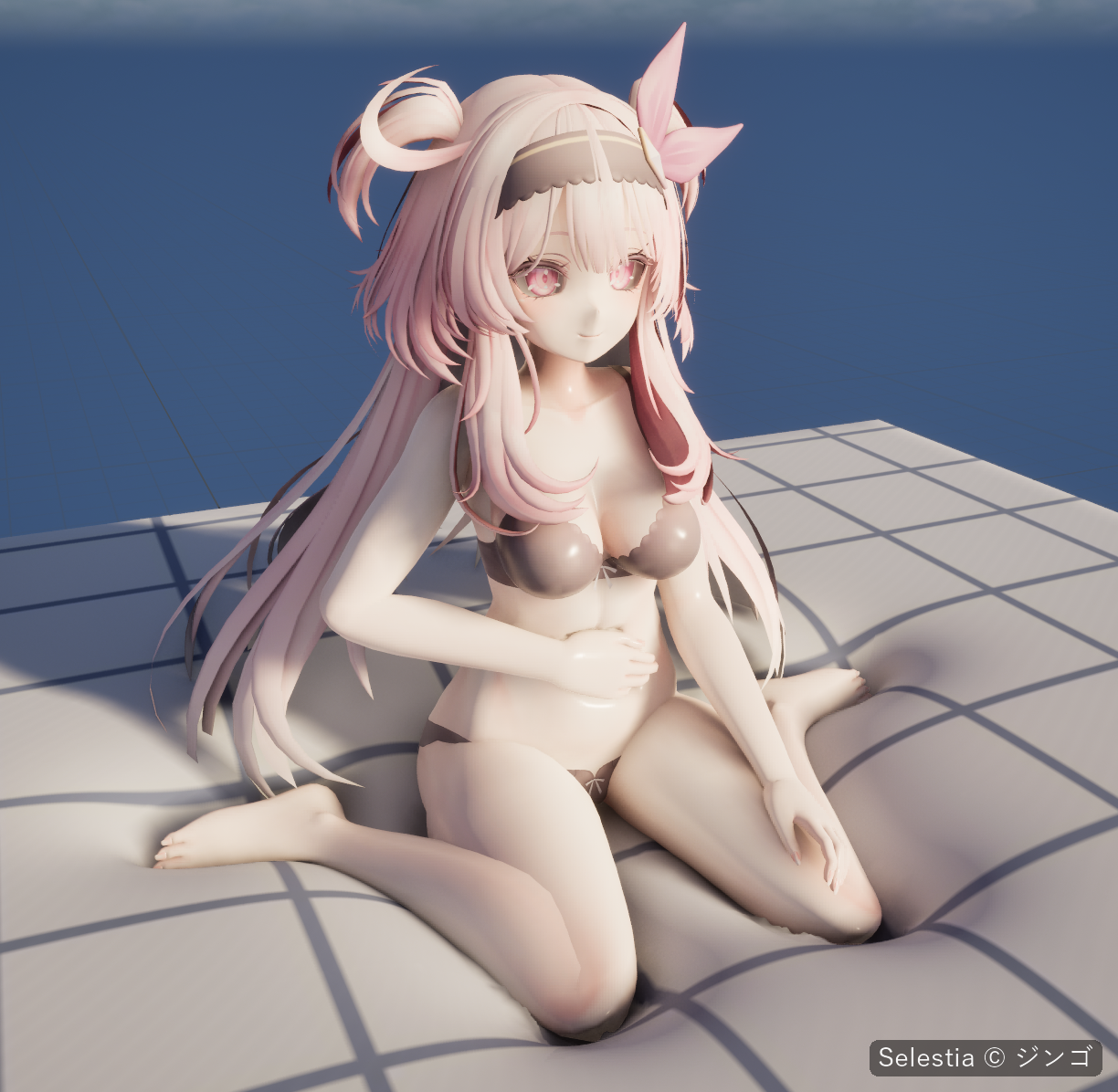
An animated character does not go still while pressed.