
Contact
What happens when hands and objects press the flesh, drag it and let it go. The settings are in the Contact category of the Softbody component; defaults and ranges are on Softbody Component.
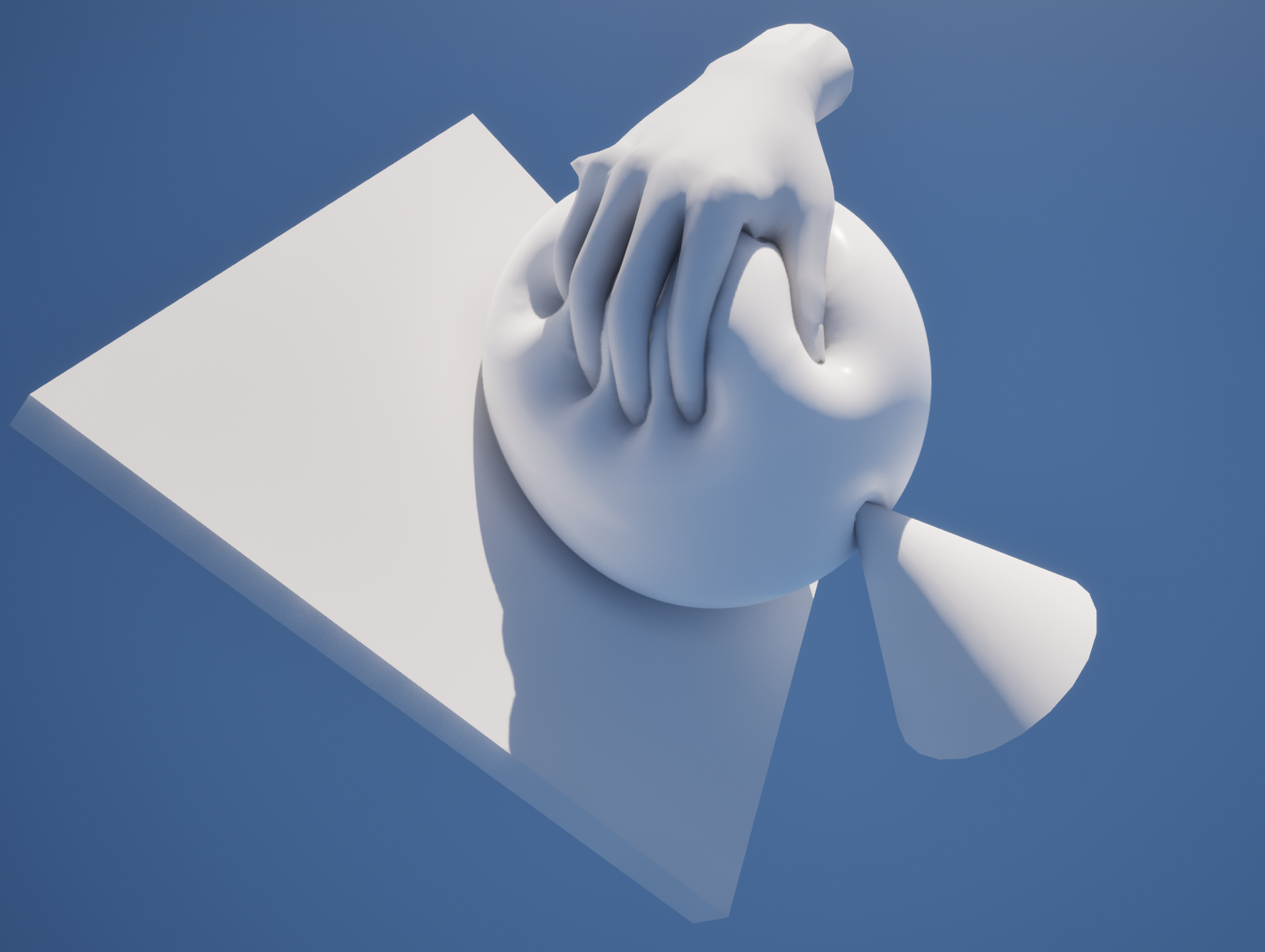
What contact does
- Dent: the surface sinks under a collider. It sinks as far as the collider goes in; how firm the flesh is does not change the depth.
- Bulge: the flesh rises around the dent. Only with Contact Detail Full.
- Drag: friction pulls the surface along. Only with Full.
- Recovery and lasting marks: the surface comes back once the hand leaves, and a mark can stay like memory foam and fade.
- Pushed lumps: a lump such as a breast or buttock moves aside as one piece when a hand pushes it (Inertia).
Contact runs on the baked contact map. A mesh baked without a contact map only runs inertia. Concepts.
What presses
Each frame the component finds the colliders that overlap the mesh. Any collision that blocks the Collider Channel (Visibility by default) presses: hands, props, floors, other characters. It presses with its simple collision or physics asset bodies; a mesh with a baked shape field presses with its real shape, between the fingers and into the hollow of the palm. The character's own hands press through Self Contact.
Conditions, limits and restricting what is found are on Colliders.
The shape of a dent
| What you see | What sets it |
|---|---|
| How wide the dent and bulge are | The baked flesh thickness, Skin Tension, and with Full the Flex paint |
| How much the flesh rises around it | Volume Preservation on the authoring asset × Volume paint, plus Volume Offset while playing |
| How deep it can go | Max Contact Depth |
| The wall at the collider's edge | Edge Smoothing (Full), Nanite tessellation |
| How dark deep, narrow marks get | Dent Darkening |
| How far the skin is dragged | Drag Friction (Full) |
| How fast it comes back, and marks | Recovery Rate, Memory Time, Memory Fade Time |
No setting widens the dent without changing the material. Flesh Thickness, Recipes
Tuning
- Wider and softer: the flesh can be made thicker (move the rigid core, or Depth paint), Skin Tension can be raised, or with Full the surface can be painted gray in Flex.
- No rise around the dent (foam): Volume Preservation on the authoring asset can be set to 0, or Volume paint made darker. While playing, Volume Offset can be used.
- Sharper fingertip marks: Contact Map Resolution on the authoring asset can be raised. On low-density meshes Nanite tessellation can also be turned on.
- Steps where a round object presses deep: Edge Smoothing can be raised. It can be lowered if thin fingers look buried.
- How far the surface is dragged: Drag Friction. 0 means no drag.
- Marks that stay (memory foam): set Memory Time above 0, and set how fast marks fade with Memory Fade Time.
- Slow return: Recovery Rate can be lowered.
- Collision inside the visible skin (usually a body capsule): Max Contact Depth can be set to that gap.
- Lump push: lumps in Inertia
Detail and cost
- Contact Detail: Basic (the default) runs only dents and pushed lumps. Bulge, drag, Edge Smoothing and Flex paint work only in Full.
- Enable Contact: when off, only inertia remains and all contact cost goes away.
- Min Screen Size: dents stop updating while the mesh looks smaller than this value on screen.
- When nothing touches the mesh, the dent comes back and contact rests, so its GPU work stops (Performance).
When nothing dents
- The pressing object must block the Collider Channel and must not have a
SoftbodyIgnoretag. - The pressed slots must use a Softbody material. After changing the material, you must press Rebake Contact Map again.